


 19.29
19.29
 M.Agus Priyono

Antivirus adalah sebuah aplikasi yang sangat penting sobat miliki, karena antivirus berguna sebagai aplikasi yang mampu mendeteksi virus yang akan masuk ke komputer sobat sehingga virus tidak bisa merusak sistem kinerja komputer sobat.
Mengingat semakin banyaknya jenis virus yang menyerang sistem operasi Windows, maka Antivirus pun juga tidak mau kalah, banyak macam antivirus, baik itu buatan dalam negeri maupun buatan luar negeri yang siap mencegah dan membasmi virus-virus jahat yang akan merusak komputer kita. Dan berikut ini adalah 10 antivirus terbaik tahun 2011.1. Bitdefender Antivirus

•Threat Detection: Virus, Worm, Trojan, Spyware, Malware, Rootkit.
•Additional Protection: Browser exploit, OS exploit, Keyloggers, inbound email protection, outbond email protection, instant messaging protection, p2p/file sharing, registry startup protection, dialers, backdoors, hackers, phising, identity theft protection, adware, activex, vulnerabilities, cookies, scripts, full web protection, auto usb detect.
•Protection Technology: Virus signatures, whitelisting, heuristic, real time.
•Supported OS: XP (32 & 64 bit), Vista (32 & 64 bit), Windows 7 (32 & 64 bit)
•Price: $ 29.95
»Download Bitdefender Antivirus
2. Kaspersky Antivirus
 •Threat Detection: Virus, Worm, Trojan, Spyware, Malware, Rootkit.
•Additional Protection: Browser exploit, OS exploit, Keyloggers, inbound email protection, outbond email protection, instant messaging protection, p2p/file sharing, registry startup protection, dialers, backdoors, hackers, phising, identity theft protection, adware, activex, vulnerabilities, cookies, scripts, full web protection, auto usb detect.
•Protection Technology: Virus signatures, blacklisting, whitelisting, heuristic, real time, security network.
•Supported OS: XP (32 & 64 bit), Vista (32 & 64 bit), Windows 7 (32 & 64 bit)
•Price: $ 59.95
»Download Kaspersky Antivirus
3. Webroot Antivirus

•Threat Detection: Virus, Worm, Trojan, Spyware, Malware, Rootkit.
•Additional Protection: Browser exploit, OS exploit, Keyloggers, inbound email protection, outbond email protection, instant messaging protection, p2p/file sharing, registry startup protection, dialers, hackers, identity theft protection, adware, activex, cookies, scripts, spam.
•Protection Technology: Virus signatures, blacklisting, whitelisting, heuristic, real time, security network.
•Supported OS: XP (32 bit), Vista (32 & 64 bit), Windows 7 (32 & 64 bit)
•Price: $ 29.95
»Download Webroot Antivirus
4. Norton Antivirus
 •Threat Detection: Virus, Worm, Trojan, Spyware, Malware, Rootkit.
•Additional Protection: Browser exploit, OS exploit, inbound email protection, outbond email protection, instant messaging protection, registry startup protection, dialers, backdoors, hackers, identity theft protection, adware, activex, vulnerabilities, scripts, full web protection, auto usb detect.
•Protection Technology: Virus signatures, blacklisting, whitelisting, heuristic, real time, security network.
•Supported OS: XP (32 bit), Vista (32 & 64 bit), Windows 7 (32 & 64 bit)
•Price: $ 39.99
»Download Norton Antivirus
5. ESET Nod32 Antivirus
 •Threat Detection: Virus, Worm, Trojan, Spyware, Malware, Rootkit.
•Additional Protection: Keyloggers, inbound email protection, outbond email protection, registry startup protection, dialers, backdoors, adware, activex, vulnerabilities, scripts, full web protection, auto usb detect.
•Protection Technology: Virus signatures, blacklisting, whitelisting, heuristic, real time, security network.
•Supported OS: XP (32 & 64 bit), Vista (32 & 64 bit), Windows 7 (32 & 64 bit)
•Price: $ 39.99
»Download ESET Nod32 Antivirus
6. AVG Antivirus

•Additional Protection: Browser exploit, OS exploit, Keyloggers, inbound email protection, outbond email protection, instant messaging protection, p2p/ file sharing protection, registry startup protection, dialers, backdoors, hackers, phising, identity theft protection, adware, activex, vulnerabilities, cookies, scripts, full web protection, spam, auto usb detect.
•Protection Technology: Virus signatures, blacklisting, whitelisting, heuristic, real time, security network.
•Supported OS: XP (32 & 64 bit), Vista (32 & 64 bit), Windows 7 (32 & 64 bit)
•Price: $ 34.99
»Download AVG Antivirus
7. G Data Antivirus
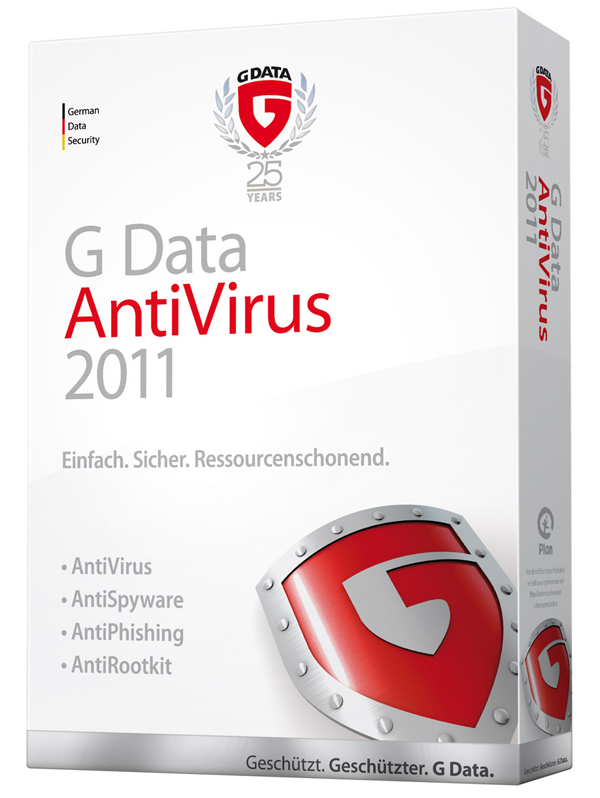
•Additional Protection: Browser exploit, OS exploit, inbound email protection, outbond email protection, instant messaging protection, registry startup protection, dialers, backdoors, hackers, phising, identity theft protection, adware, scripts, full web protection,.
•Protection Technology: Virus signatures, blacklisting, whitelisting, heuristic, security network.
•Supported OS: XP (32 & 64 bit), Vista (32 & 64 bit), Windows 7 (32 & 64 bit)
•Price: $ 29.95
»Download G Data Antivirus
8. Avira Antivir

•Threat Detection: Virus, Worm, Trojan, Spyware, Malware, Rootkit.
•Additional Protection: Browser exploit, OS exploit, inbound email protection, outbond email protection, registry startup protection, dialers, backdoors, phising, adware, activex, scripts, full web protection.
•Protection Technology: Virus signatures, heuristic, real time, security network.
•Supported OS: XP (32 & 64 bit), Vista (32 & 64 bit), Windows 7 (32 & 64 bit)
•Price: $ 26.95
»Download Avira Antivir
9. Vipre Antivirus

•Additional Protection: Browser exploit, OS exploit, Keyloggers, inbound email protection, outbond email protection, instant messaging protectionp2p/file sharing, registry startup protection, dialers, backdoors, hackers, phising, adware, activex, vulnerabilities, cookies, scripts, auto usb detect.
•Protection Technology: Virus signatures, blacklisting, whitelisting, heuristic, real time, security network.
•Supported OS: XP (32 & 64 bit), Vista (32 & 64 bit), Windows 7 (32 & 64 bit)
•Price: $ 29.95
»Download Vipre Antivirus
10. Trend Micro Titanium Antivirus

•Threat Detection: Virus, Worm, Trojan, Spyware, Malware, Rootkit.
•Additional Protection: OS exploit, Keyloggers, inbound email protection, outbond email protection, instant messaging protection, registry startup protection, dialers, hackers, identity theft protection, adware, activex, vulnerabilities, cookies, scripts, auto usb detect.
•Protection Technology: Virus signatures, blacklisting, whitelisting, real time, security network.
•Supported OS: XP (32 bit), Vista (32 & 64 bit), Windows 7 (32 & 64 bit)
•Price: $ 39.95
»Download Trend Micro Titanium Antivirus
Sumber: toptenreviews.com

 Posted in: Artikel


